
Drag, drop, publish
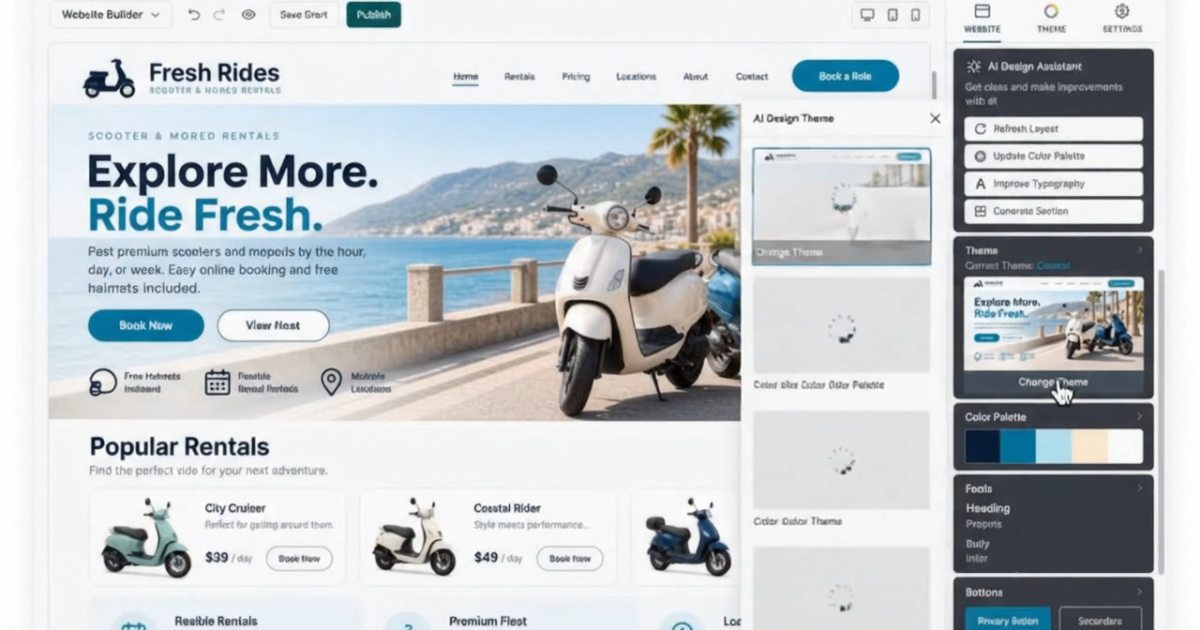
Edit your words, images and layout visually, then preview your page before you publish.
Website Builder
No code, no developer, no six-week project. The fastest route from nothing to a working website.
What it does
Your layout, your content, your next big idea. Bring them together in one visual builder, with hosting and SSL included.

Edit your words, images and layout visually, then preview your page before you publish.
Start with a design for your industry and make it your own with your colours, photos and logo.
Use a responsive starting point and check how your site looks at phone width as you build.
Compare plans for payment, booking and store features before you choose.
Compare plans for the SEO and marketing features your site needs.
Website hosting is included, with your design and content managed in the builder.
SSL is included with the builder plans, so your site can use a secure HTTPS connection.
Get sales and technical support by phone, day or night.
Templates
Templates are starting points, not straitjackets. Every colour, font, photograph and block is editable, and nothing is locked.

In the editor
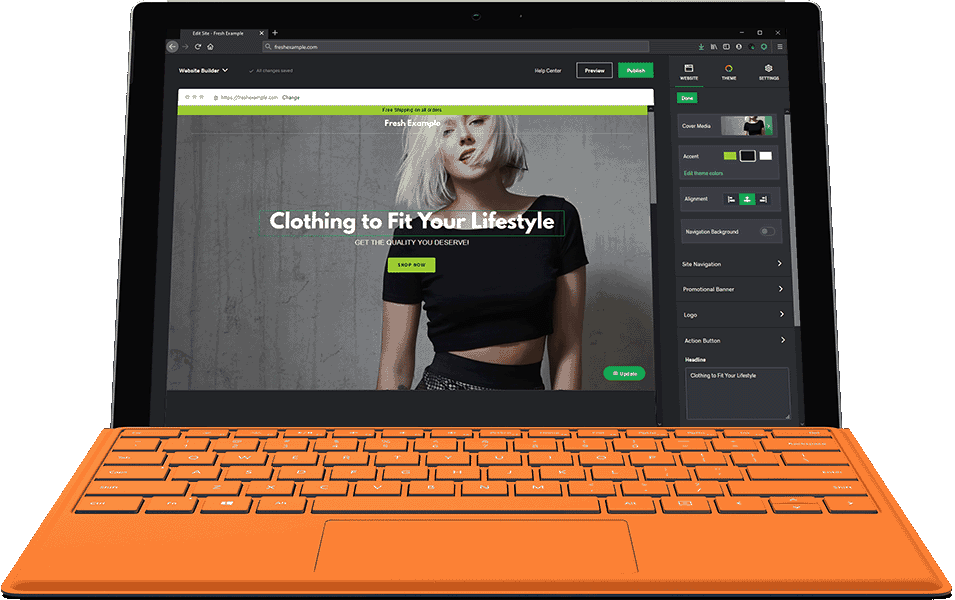
Your page is on the left. Everything you can change about whatever you have clicked sits on the right, so you edit and see the result at the same time.
On a phone
Every template is responsive before you touch it, so the mobile version is not a second design project.

Getting there
The forecast in the headline is not a joke. Most people who sit down with a clear idea of their business are published the same day.
Choose by industry rather than by layout — services, trades, food, retail — so the structure is already right. Change anything afterwards.
Replace the placeholder text and images with yours. Phone photos are fine; nobody is grading your photography.
Already own a domain? Connect it. If not, register one — a .com is $14.99 for the first year.
Four tiers
Personal builds a site. Business adds SEO and payment buttons. Online Store turns it into a real shop.
A simple site that loads fast.
Adds SEO and payment buttons.
Social integration and bookings.
A full storefront, ready to sell.
Every button above opens our storefront, where you add the plan to the cart. Pricing excludes applicable taxes and ICANN fees. Prices shown are first-term prices; the renewal price is shown on each plan before you pay.
Personal builds a site. Business is the tier most small businesses buy. Online Store is the only one that takes payment.
| Feature | Personal | Business | Business Plus | Online Store |
|---|---|---|---|---|
| Responsive mobile design | ✓ | ✓ | ✓ | ✓ |
| Website hosting | ✓ | ✓ | ✓ | ✓ |
| Rapid Page-Load performance | ✓ | ✓ | ✓ | ✓ |
| Create a blog | ✓ | ✓ | ✓ | ✓ |
| Security (SSL) | ✓ | ✓ | ✓ | ✓ |
| PayPal Buy Now or Donate button | – | ✓ | ✓ | ✓ |
| Search Engine Optimization (SEO) | – | ✓ | ✓ | ✓ |
| Social Media Integration | – | – | ✓ | ✓ |
| Share content to Facebook | – | – | ✓ | ✓ |
| Online Appointments | – | – | ✓ | ✓ |
| Built-in shopping cart | – | – | – | ✓ |
| Sell physical and digital products | – | – | – | ✓ |
| Accept credit and debit cards, PayPal and more | – | – | – | ✓ |
| Flexible shipping options | – | – | – | ✓ |
| Discounts and promotions | – | – | – | ✓ |
| Manage inventory | – | – | – | ✓ |
| Per month | $5.99 | $9.99 | $14.99 | $26.99 |
All sixteen rows are the storefront's own bullets for that tier, listed here without merging or shortening — check any of them against the product page. The figures are the monthly prices. Pricing excludes applicable taxes and ICANN fees. Prices shown are first-term prices; the renewal price is shown on each plan before you pay.
Make every visit count
The builder gives you a starting point. Your photos, content and layout make it useful. Keep these three things in mind as you build.
Choose a few clear, relevant photos. Resize oversized files before uploading and leave out images that do not help tell your story.
Keep your main navigation short. Give visitors a clear way to contact you, book a service or explore what you offer.
Preview the page at phone width. Read the text, check your links and make sure contact details are easy to find before publishing.
Good to Know:
The one case where the builder is the wrong choice If you already know you will want plugins, custom code or a members' area, start with WordPress hosting instead. The builder is a closed platform, so there is no one-click export to WordPress later — and rebuilding a finished site by hand is a far worse afternoon than starting in the right place.Before you build
The answers without the hedging — including the one about WordPress, which is the answer most people need.